Core Systems Architecture
Category: Systems Architecture
Context: Project Longbow (developed under the Artemis codebase umbrella, Unity 2022, C#) features a highly integrated approach to mission selection, tactical gameplay, and player feedback. Instead of abstract menus or intrusive HUD overlays, the game leverages physicalized diegetic interfaces, wearable tech indicators, and in-world transitions to maintain immersion. The architecture is driven by several interlocking systems: the TabletManager, LevelSelector, the physical Nexus portal, the RingTech health indicator, and a custom faction layer integrated into Opsive’s Behavior Designer.
Gameplay Prototype Devlog
Before diving into the codebase architecture, you can see these systems in their earliest, physicalized prototype forms here:
 (Click to open YouTube Devlog Playlist)
Diegetic UI Philosophy
The design philosophy draws from immersive sims and wearable tech: give the player feedback without explicitly showing it in an intrusive way. This saves canvas real estate for information that actually needs to be there and keeps the player grounded in the world rather than reading a HUD. Two core systems embody this.
RingTech — Wearable Health Indicator
The first diegetic feedback system is a health indicator mounted directly on the full-body player rig’s thumb. It is a mashup between the Dead Space spine-mounted health diegetic and the Resident Evil health-state color shifts, with the real-world Oura Ring as the industrial design reference. The Oura Ring was chosen specifically because it has real precedent in athletics and military special forces as wearable biometric tech — it grounds the fiction in something that already exists professionally, even though the in-game version takes liberties with a visible glow that the real hardware obviously doesn’t have.
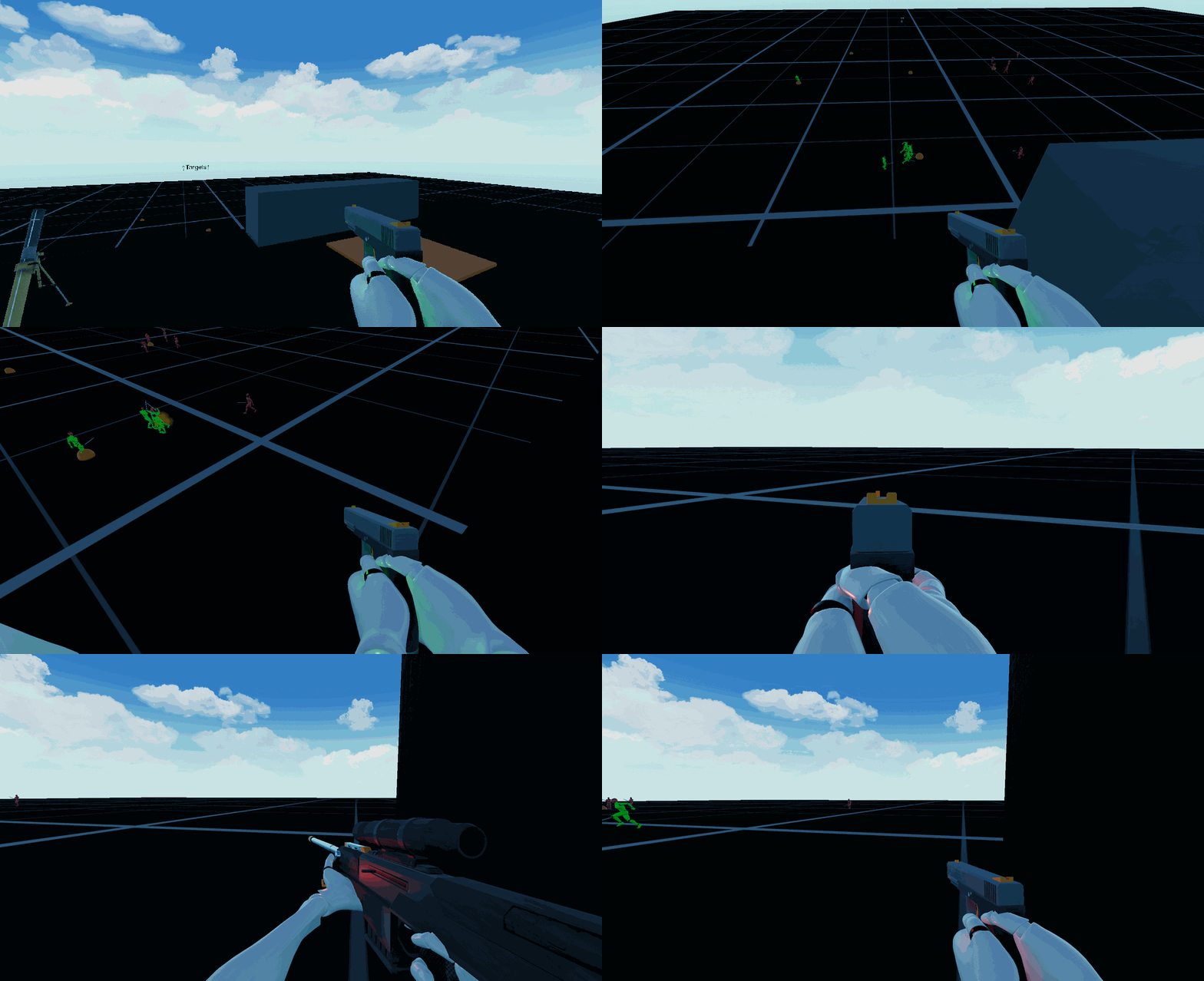
The ring is a Blender model with a colored stripe for visibility. Placing it on the thumb was a deliberate choice: it is the most user-facing digit when the character’s hands are in a natural weapon-hold or idle pose. The glow intensity is tuned to be noticeable during daytime gameplay and should remain visible at night without becoming a distraction or a tactical liability — the light emission is a feedback tool, not a flashlight.
Design goals:
- Scalable and modular — the ring should not intrude on gameplay or block sightlines.
- Accessibility-first — ring material (
RingMaterialsenum: Default, Silver, Gold, RoseGold) and all state colors (fineColor,cautionColor,dangerColor) are settable per-player, so a colorblind user can swap to a palette that works for them.
State machine: RingTech.cs reads the player’s CharacterHealth.HealthValue (from Opsive’s CharacterHealth trait) and resolves to one of three RingHealthStatus states:
| State | Condition | Behavior |
|---|---|---|
| Fine | healthValue >= minFineThreshold (default 80) | Steady light in fineColor, ECG sprite set to ecgFine |
| Caution | Between danger and fine thresholds | Light blinks at numberOfCautionBlinks intervals, ECG sprite swaps to ecgCaution |
| Danger | healthValue <= maxDangerThreshold (default 30) | Faster blink cadence at numberOfDangerBlinks intervals, ECG sprite swaps to ecgDanger |
The blink system uses coroutine-driven flash intervals (CautionFlashes, DangerFlashes) with a configurable long pause (longPauseBetweenFlashIntervals) between flash groups to avoid visual fatigue.
Communication: RingTech reads health from CharacterHealth on the Player GameObject and writes its ECG sprite to a BetterImage UI element tagged ecgImage. That same ECG image is mirrored on the tablet’s in-game health display (healthBox in TabletManager), linking the ring’s state to the tablet backbone.
The Tablet — Diegetic Backbone
The second diegetic system is the in-world tablet, inspired by the rugged field tablet in Ground Branch. It is the central nervous system of the game’s UI: boot sequence, main menu, level selection, in-game pause, and mission results all live on this single physical prop.
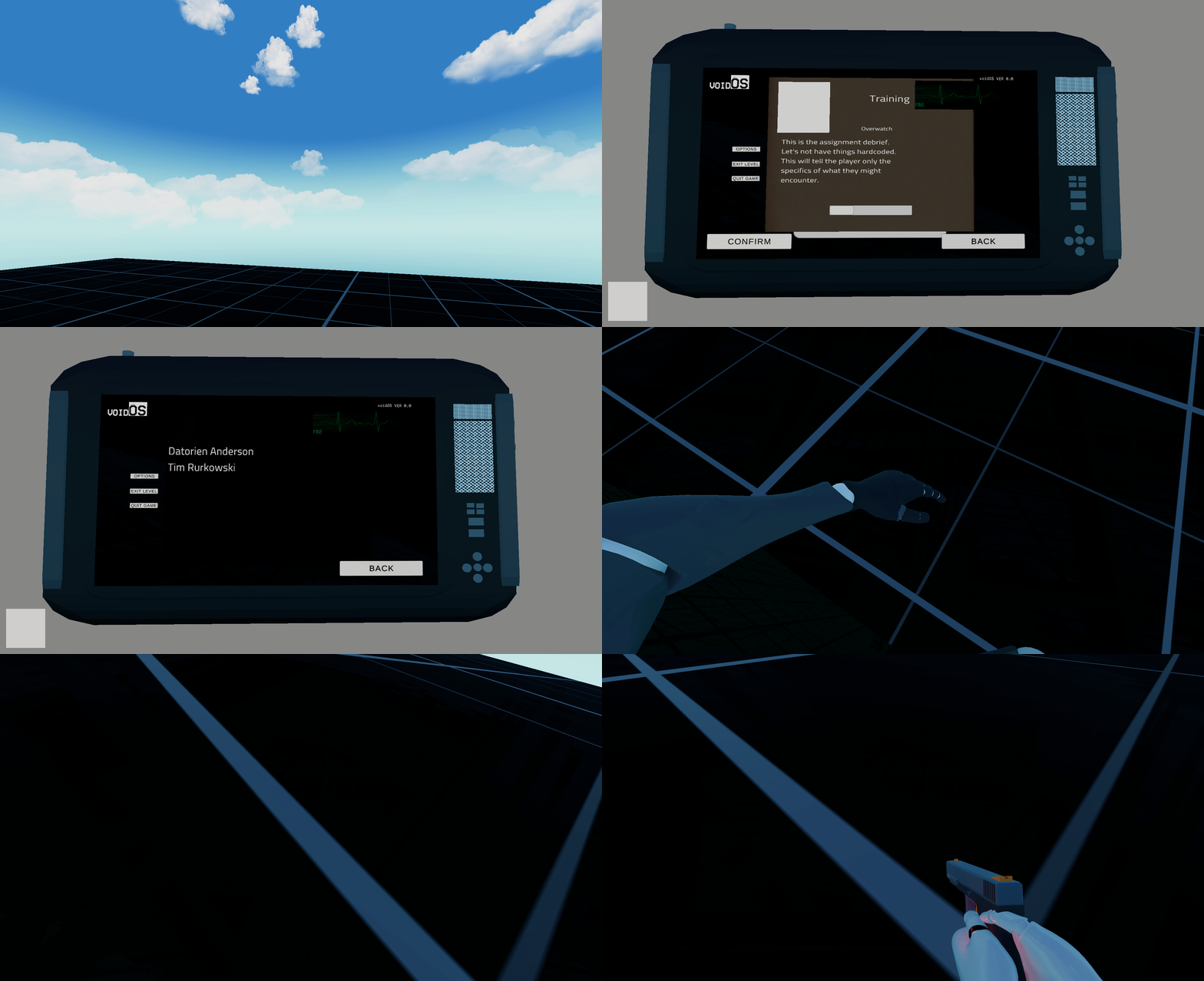
The tablet’s in-game screen includes placeholders that reflect the currentHealthValue from the ring system, so the player sees consistent health state feedback whether they glance at their hand or pull up the tablet.
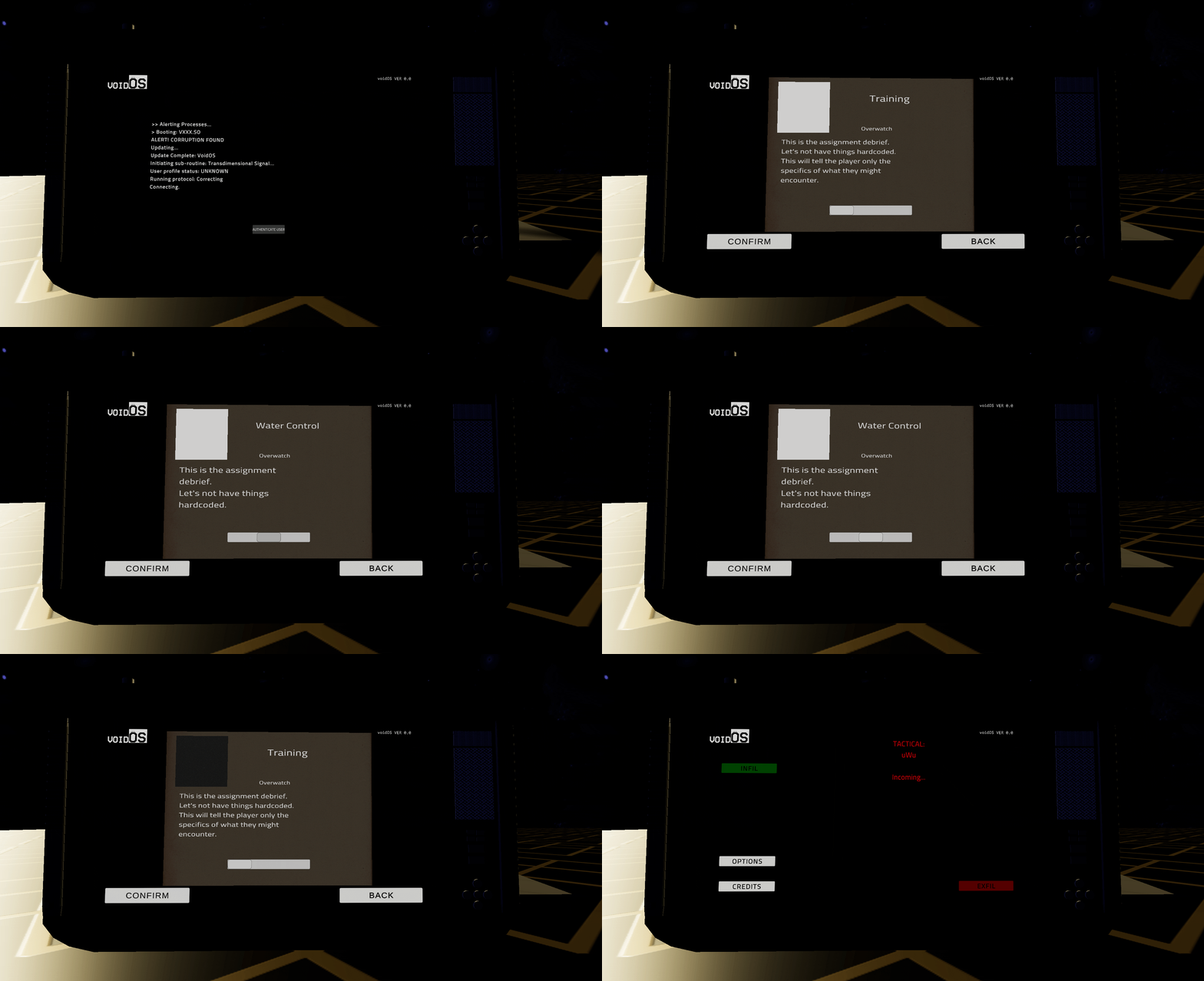
The menus are intentionally basic but distinct enough for prototyping. The tablet itself is a quick 3D model built to feel like a rugged, field-grade device.
The Master TabletManager
TabletManager.cs acts as the grand orchestrator of the game’s state. It is a persistent singleton (DontDestroyOnLoad) that handles everything from pulling up the in-game tablet to managing the overarching Boot Sequence and Main Menu transitions.
- Diegetic Interface: Pressing
TabtriggersToggleTabletDisplay(). Instead of pausing the game, it physically interpolates the tablet parent to anInUsagetransform in front of the character’s camera and frees the mouse cursor, allowing the player to manipulate the screen via UI Canvas elements while remaining physically present in the world. In the main menu, a double-tap equips/unequips. In-game, a hold-to-toggle coroutine (HoldToToggleTabletDisplay) prevents accidental activations during combat. - Scene-Aware Routing:
MenuScreenSwitcher()interrogatesSceneManager.GetActiveScene().name. If the player is in theBootscene, it shows the boot terminal. If in a combat map (e.g.,01_WATCON0), it disables the main menus and activates the tacticalInGameScreen. It also wires up theBasicSpawnerreference for in-level objective tracking. - Audio Layer: Three dedicated
AudioSourcechannels (mainSpeaker,secondarySpeaker,teritarySpeaker) handle system sounds, notification beeps, and tactile feedback respectively, all configured to ignore listener pause so the tablet remains audible during time-scale manipulation.
BootSequence — The Entry Point
BootSequence.cs drives the typewriter-style terminal output on the tablet’s boot screen. It types out diagnostic lines character-by-character with configurable delays, simulating a VoidOS boot process. The sequence checks for a player profile (isProfileFound) and adjusts its output accordingly — a corrupted boot path for new users, a clean boot for returning ones. Once the sequence completes, it enables the afterBootSequence UI element containing the authentication/connect button, which calls TabletManager.PlayerAuthenticates() to advance to the main menu scene.
LevelSelector and the Nexus Portal
Mission selection bypasses traditional lobby screens by using a physicalized Nexus portal in the player’s hub.
- Selection: Using the diegetic tablet, the player browses assignments via the
LevelSelector. This script parses an array ofLevels(ScriptableObjects containing thumbnail sprites, objective text, scene IDs, assignment types like Overwatch/Retaliation/AssetProtection, hostile presence ratings, and grading history). - Activation: Once a level is selected (
ConfirmLevelSelection()), the tablet communicates with theNexusreference in the world, passingActivateNexusPortal(true). The tablet is stowed automatically. - Physical Transition: The Nexus acts as a physical gate. It arms its
BoxCollidertrigger and changes its material state. The player must physically walk into the portal. UponOnTriggerEnter, theNexuscallslevelSelector.LoadConfirmedScene()and deactivates itself, teleporting the player to the selected operation zone. A countdown coroutine (TimeUntilPortalConnectionTerminates) auto-deactivates the portal after a configurable window if the player doesn’t enter.
Faction System: NPCVariables and Groups
The faction layer is a lightweight, tag-driven system that governs who attacks whom across the entire battlefield.
NPCVariables.cs
Every NPC (and the player) carries an NPCVariables component that declares two enums:
NPCFaction—None,Allied,Hostile,PlayerNPCType—None,Melee,Knight,Archer,Mage,Structure,Player
On Awake, the script caches the GameObject’s Unity tag (which must be set to Allied, Hostile, or Player). The core method is ShouldAttack(GameObject target), which implements the faction matrix:
| Caller Faction | Target Faction | Result |
|---|---|---|
| Hostile | Player | Attack |
| Hostile | Allied | Attack |
| Allied | Hostile | Attack |
| Allied | Player | Do not attack |
| Same faction | Same faction | Do not attack |
This keeps the logic flat and readable. The NPCType enum is reserved for future specialization (e.g., melee units ignoring ranged targets, structures requiring engineers).
Groups.cs — ScriptableObject Composition
Groups is a ScriptableObject (CreateAssetMenu: VoidOS/Groups) that defines a named group with a groupComposition (array of prefab GameObjects) and a groupUsageCase string. This is the data layer for the spawner — rather than hardcoding enemy compositions, the BasicSpawner can pull from authored Groups assets to vary encounters.
Opsive Behavior Designer Integration: CanSeeFactionMember
The faction system had to be wired into Opsive’s Behavior Designer AI trees, which required debugging and extending the plugin’s movement pack. CanSeeFactionMember.cs is a custom Conditional task that replaces the stock CanSeeObject with faction-aware sight checks.
How it works:
- The task inherits from Behavior Designer’s
Conditionalbase and retains the full detection pipeline (Object, ObjectList, Tag, LayerMask modes) with field-of-view angle, view distance, and line-of-sight raycasting viaMovementUtility.WithinSight. - Once a visible object is found (
m_ReturnedObject), instead of returning success immediately, the task traverses up the transform hierarchy viaFindRootParentWithAnyTagto locate the root GameObject taggedPlayer,Allied, orHostile. - It then reads the
NPCVariablescomponent on that root and callsShouldAttack(gameObject)— wheregameObjectis the AI agent running the behavior tree. - Only if
ShouldAttackreturnstruedoes the task returnTaskStatus.Success, allowing the behavior tree to proceed to attack nodes. Otherwise it returnsFailure, and the AI ignores the sighted entity.
This means the same behavior tree can be shared across Allied and Hostile NPCs — the faction logic is resolved at runtime by NPCVariables, not by duplicating trees.
Script communication chain:
CanSeeFactionMember (Behavior Designer Task) → reads NPCVariables on sighted target → calls NPCVariables.ShouldAttack() → returns faction-resolved boolean → Behavior Designer routes to attack or ignore subtree.
Weapons Integration: DynamicScope and RealisticShooter
The weapons pipeline bridges Opsive’s Ultimate Character Controller with the third-party Realistic Snipers and Ballistics (RSB) plugin.
RealisticShooter.cs — Custom Shootable Module
RealisticShooter extends Opsive’s ShootableShooterModule and lives inside the Opsive.UltimateCharacterController.Items.Actions.Modules.Shootable namespace. It replaces the default projectile instantiation with RSB’s SniperAndBallisticsSystem.instance.FireBallisticsBullet(), feeding it the selected BulletProperties caliber and fire reference transform. It exposes two static events (DynamicScopeSystemChanged, SelectedCaliberChanged) that broadcast weapon state changes to any listener.
DynamicScope.cs — Player-Side Weapon Router
DynamicScope sits on the player character and subscribes to Opsive’s inventory equip/unequip events (OnInventoryEquipItem, OnInventoryUnequipItem) plus the two static events from RealisticShooter. When a weapon is equipped, it identifies the weapon type by ItemDefinition, updates the RSB system’s fire transform, and routes scope activation and zero-distance cycling to the RSB DynamicScopeSystem and SniperAndBallisticsSystem singletons.
BulletPointRelay.cs — Projectile Bridge
BulletPointRelay extends Opsive’s Projectile class to bridge the collision and deactivation lifecycle between Opsive’s object pooling (Scheduler) and RSB’s ballistic simulation.
Script communication chain:
DynamicScope (Player) ← Opsive Inventory Events → RealisticShooter (Weapon Module) → SniperAndBallisticsSystem (RSB Singleton) → BulletPointRelay (Projectile)
Hitbox-Specific Ballistics: Penetration, Ricochet, and Damage Zones
The weapons pipeline does not stop at firing. Every bullet that leaves the barrel enters a full physics simulation managed by SniperAndBallisticsSystem, which resolves gravity, drag (G1–G8 models via BallisticsUtility), wind, and spin drift per frame. When the raycast hits a collider, the system checks for a BallisticSurface component to determine what happens next.

BallisticSurface — Per-Material Behavior
Any collider in the world can carry a BallisticSurface component with a SurfacePreset (Custom, Wood, HardWood, Metal, Steel, LightSteel, Plastic, Cloth). Each preset configures:
- Penetration: Whether the bullet can pass through, the minimum kinetic energy required (
minEnergyToPenetrateInMetrics), the energy consumed per unit distance inside the material (penetrationEnergyConsumptionPercent), and the exit deflection angle range. - Ricochet: Whether the bullet can bounce, the minimum kinetic energy required (
minEnergyToRicochetInMetrics), the energy consumed on reflection (ricochetEnergyConsumptionPercent), and the deflection angle randomization.
The decision tree is sequential: if the bullet has enough energy to penetrate, it penetrates. Otherwise, if it has enough energy to ricochet, it ricochets. Otherwise, it stops (normal hit). This means a high-caliber round at close range punches through a wooden shield, the same round at long range (lower KE) bounces off, and a pistol round at any range just stops.
HitTagBody — Damage Zones
Body-part damage is resolved through HitTagBody components placed on specific colliders across the character rig. Each HitTagBody declares a BodyHitLocation enum:
| Zone | Location Enum | Damage Method |
|---|---|---|
| Head, Neck | Head, Neck | FatalShot() — instant kill |
| Upper/Lower Torso | UpperTorso, LowerTorso | MediumDamage() |
| Arms | UpperArm, LowerArm | SkimmedDamage() |
| Legs, Hip | UpperLeg, LowerLeg, Hip | SkimmedDamage() |
| Armor | Armor | Reduced or blocked |
HitTagBody listens to the ENormalHit event from SniperAndBallisticsSystem. When a bullet terminates on a body collider, OnNormalHit(BulletPoint) checks the hit transform, resolves the BodyHitLocation, and calls the appropriate damage method against Opsive’s CharacterHealth.
This layered system means a bullet can penetrate a wooden barricade, lose kinetic energy, and still hit an NPC behind it — but with reduced lethality. A ricochet off a metal shield could redirect into an unintended target. The simulation is physically grounded rather than hitscan-with-modifiers.
Structures: Structure.cs
Structure.cs applies Opsive’s CharacterHealth trait to non-character entities (buildings, siege engines). It uses two enums (StructureType: Building, SiegeEngine; SiegeEngineType: BatteringRam) and exposes a DealBatteringRamDamage() method that calls CharacterHealth.Damage(50) on itself. A SphereCollider vicinity check is stubbed for future engineer-NPC repair interactions — when an NPC with NPCType.Engineer enters the structure’s vicinity, it would trigger repair logic.
Tactical Deployments: MortarManager
Once inside an assignment, the player interacts with heavy tactical deployments like the MortarManager. This script provides a physical, interactable request for artillery fire.
- Cooldown & Ammunition: It tracks a strict
mortarShellCountand an internalmortarCooldownTime. - Audio/Visual Presentation: Triggering a mortar forces a delay (
randomLaunchTime), playing incoming whistle SFX (mortarEntering), followed by the explosive payload (mortarLaunchSound) and an illuminating flare logic (FlareVisibility()) that physically drops a light source into the scene to alter visibility.
Script Communication Map
A summary of which scripts talk to which, and through what mechanism:
| Source | Target | Mechanism |
|---|---|---|
GameManager | TabletManager, LevelSelector | Direct component references (GetComponent, GetComponentInChildren) |
TabletManager | BootSequence screens, LevelSelector screens, BasicSpawner | Scene-aware screen toggling, FindObjectOfType for spawner |
TabletManager | Opsive Character Controller | EventHandler.ExecuteEvent("OnEnableGameplayInput") |
BootSequence | TabletManager | PlayerAuthenticates() triggers scene load |
LevelSelector | Nexus | ActivateNexusPortal(true) on confirmed selection |
LevelSelector | TabletManager | ToggleTabletDisplay() to stow tablet after selection |
Nexus | LevelSelector | LoadConfirmedScene() on player trigger enter |
RingTech | Opsive CharacterHealth | Reads HealthValue to resolve ring state |
RingTech | Tablet ECG display (BetterImage) | Writes ECG sprite to UI element tagged ecgImage |
NPCVariables | CanSeeFactionMember | ShouldAttack() called by behavior tree task |
CanSeeFactionMember | Behavior Designer tree | Returns TaskStatus.Success/Failure to route AI |
DynamicScope | RealisticShooter | Subscribes to static events, reads RSB values on equip |
RealisticShooter | SniperAndBallisticsSystem | FireBallisticsBullet(), ActivateBullet() |
BasicSpawner | NPCVariables (on spawned prefabs) | Instantiated enemies/allies carry NPCVariables with preset factions |
Structure | Opsive CharacterHealth | Reads/writes health for destructible world objects |